How to back up your own ThisVid uploads before they disappear
Accounts get closed, videos get removed, and platforms change what they keep. If the only copy of something you made lives on someone else's server, you do not have a copy.
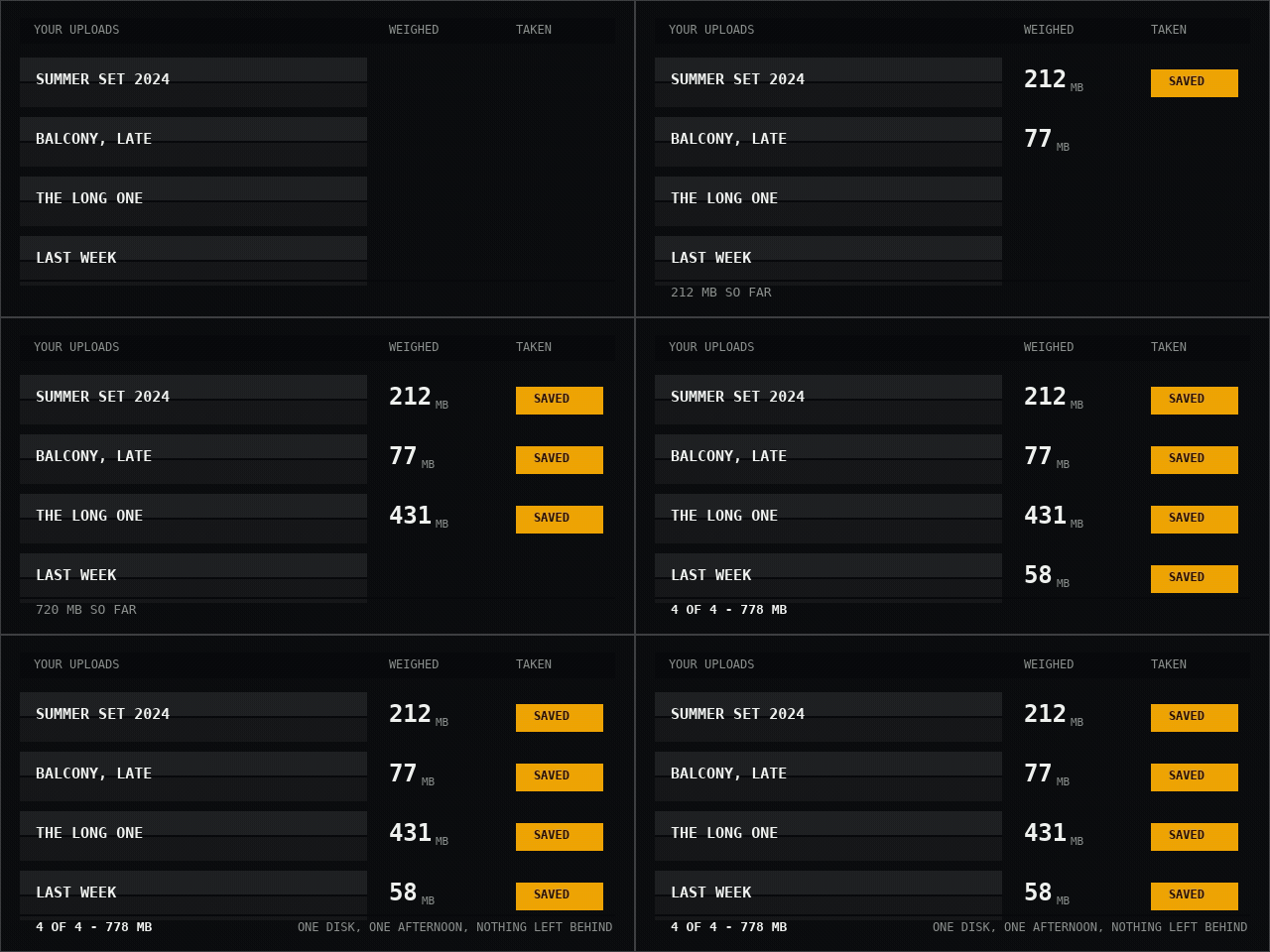
- Open your own profile and list what is there. Work from the page that lists your uploads rather than from memory. Copy each video's address into a plain text file first — the list itself is the part that gets lost.
- Take them one at a time, largest first. Paste an address, read the two weights, take the HQ row. Largest first means that if you run out of space or time, what you lost is the cheapest to fetch again.
- Keep the byte count next to each filename. Paste the number from the row into your text file beside the name. That list is how you check a year later that nothing was silently truncated.
- Work in sittings of under an hour. Download links expire about an hour after a video is read, so reading twenty addresses and then starting the downloads will strand the later ones. Read one, take one.
What you can and cannot get back
You can download anything on your profile that is publicly visible, at the quality it was published in. The HQ row is the original upload, untouched.
You cannot download videos you made private. This tool only reads what any visitor can see, and a private video is not that — even when it is yours and you are the one asking. If a private video is the only copy you have, the way to get it back is to make it public briefly, take it, and set it private again.
You cannot get back anything already deleted. There is no cache here and no archive; a removed video is gone the moment ThisVid stops serving it. That asymmetry is the entire argument for doing this before you need to.
You also cannot get back the things around the video — the description you wrote, the comments, the view count. If those matter, copy the text yourself while the page still exists.
Naming so that the set stays readable
Files arrive named after the video title and the quality tag, which is enough to keep two versions of the same video apart but not enough to keep a hundred files in order.
A date prefix fixes that: 2024-07-12-summer-set-HQ.mp4 sorts chronologically in every file manager on every system, without a database and without special software. If you rename, rename at the moment you save rather than promising yourself an afternoon later.
Where a backup should live
One copy on your machine is not a backup, it is the original with extra steps. The rule that has survived everything is three copies, on two kinds of media, with one of them somewhere else.
For most people that means the working copy, an external drive, and something off-site. An external drive is the part worth buying first, because it is the copy that survives the laptop being stolen and does not depend on any company staying in business or on anyone's terms of service.
Whatever you choose, plug the drive in occasionally and open a file at random. An untested backup is a belief, not a copy.
Doing the arithmetic first
Video is large and people are consistently wrong about how large. Twenty uploads at an average of 200 MB is four gigabytes; a few years of regular posting can be a hundred.
Take the weights from the rows as you go and keep a running total, the way the demonstration above does. Finding out at video eighteen that the drive is full is a worse afternoon than finding out at video one.
A word on what this is for
This is a guide for saving your own work. Downloading something is not the same as having the right to publish it, and a file arriving on your disk does not change who holds copyright in it or what the law where you live permits.
For your own uploads the answer is usually simple. For anything else, the question is worth asking before rather than after.
Common questions
Can I download my own private videos?
Not while they are private. Make one public briefly, download it, then set it private again — that is the only route, and it works.
Is there a way to do the whole profile at once?
Not here. Bulk fetching is deliberately not offered, because it is the behaviour that gets a tool blocked at the source and takes the working version away from everyone.
What quality should I keep?
The HQ row, which is the original upload. The smaller file exists for slow connections; it is not worth keeping as an archive copy if you have the space.
How do I know a file downloaded completely?
Compare the byte count in the row to the file on disk — Properties on Windows, Command-I on macOS. If they match, it is whole.
Paste a ThisVid link and see the weights for yourself.
Open the downloader